In Pakistan, you cannot check a stranger’s SIM owner details online by entering their mobile number. The Pakistan Telecommunication Authority (PTA) does not offer this service, and doing so is illegal under the Prevention of Electronic Crimes Act (PECA) 2016 . What you can do is check how many SIMs are registered against your own CNIC using PTA’s official tools. This guide shows you the safe, legal methods.
What “SIM Owner Details Check” Really Means in Pakistan
Most people searching for “SIM owner details online check” want one of two things. It is important to know the difference.
- Checking your own CNIC: You want to see all SIMs registered in your name. This is legal, free, and PTA provides official tools for it.
- Checking someone else’s number: You want to find the name and CNIC of a number you do not own. This is not possible through any legal public service in Pakistan .
If a website or app promises to reveal a stranger’s name from a phone number, it is either fake or using stolen data. Using such tools can put your own information at risk .
Method 1: Check SIMs on Your CNIC via SMS (Fastest)
This method works on any mobile network and does not need internet.
- Open the Messages app on your phone.
- Type your 13-digit CNIC number without dashes. For example: 3520112345678.
- Send the message to 668.
- Wait a few seconds. You will get a reply showing how many SIMs are registered under your CNIC, broken down by each network (Jazz, Zong, Telenor, Ufone, etc.) .
Cost: Standard SMS charges apply (around Rs. 2 plus tax). The reply itself is from PTA .
What you will see: A count like “Jazz: 2, Zong: 1, Telenor: 0.” This tells you how many SIMs each operator has linked to your CNIC.
Method 2: Check Online via PTA Website
If you prefer using a browser, PTA has an official portal.
- Open your browser and go to the PTA SIM Information System (cnic.sims.pk).
- Enter your 13-digit CNIC number without dashes.
- Complete the captcha or security check.
- You will see the same information as the SMS method: a count of SIMs per network .
This method is free and works from a computer or mobile browser.
How to Check a SIM That Is Physically in Your Phone
If you have a SIM in your hand and want to confirm it is registered properly, use this method.
- Insert the SIM into your phone.
- Open the Messages app.
- Type MNP and send it to 667.
- You will receive a reply showing the registered name and a partially masked CNIC for that specific SIM .
Important: This only works for the SIM you are using to send the message. You cannot use 667 to check someone else’s number .
How to Check Which Network a Number Uses
If you need to know which operator a number belongs to (for example, to report a nuisance caller), you can check the network. This does not reveal the owner’s name.
- Open Messages.
- Type N followed by a space and the 11-digit number. Example: N 03001234567.
- Send to 76367.
- You will get a reply naming the current network for that number .
This is useful because of mobile number portability. A number starting with 0300 might now be on Zong or Telenor, not Jazz.
What to Do If You Find Unrecognized SIMs on Your CNIC
If your 668 or cnic.sims.pk check shows more SIMs than you expect, act quickly.
Steps to remove unknown SIMs:
- Screenshot your result with the date visible.
- Call the operator’s helpline (Jazz 111, Zong 310, Telenor 345, Ufone 333) and report the unknown SIM.
- Visit the operator’s franchise with your original CNIC. Ask for “SIM disowning” through biometric verification.
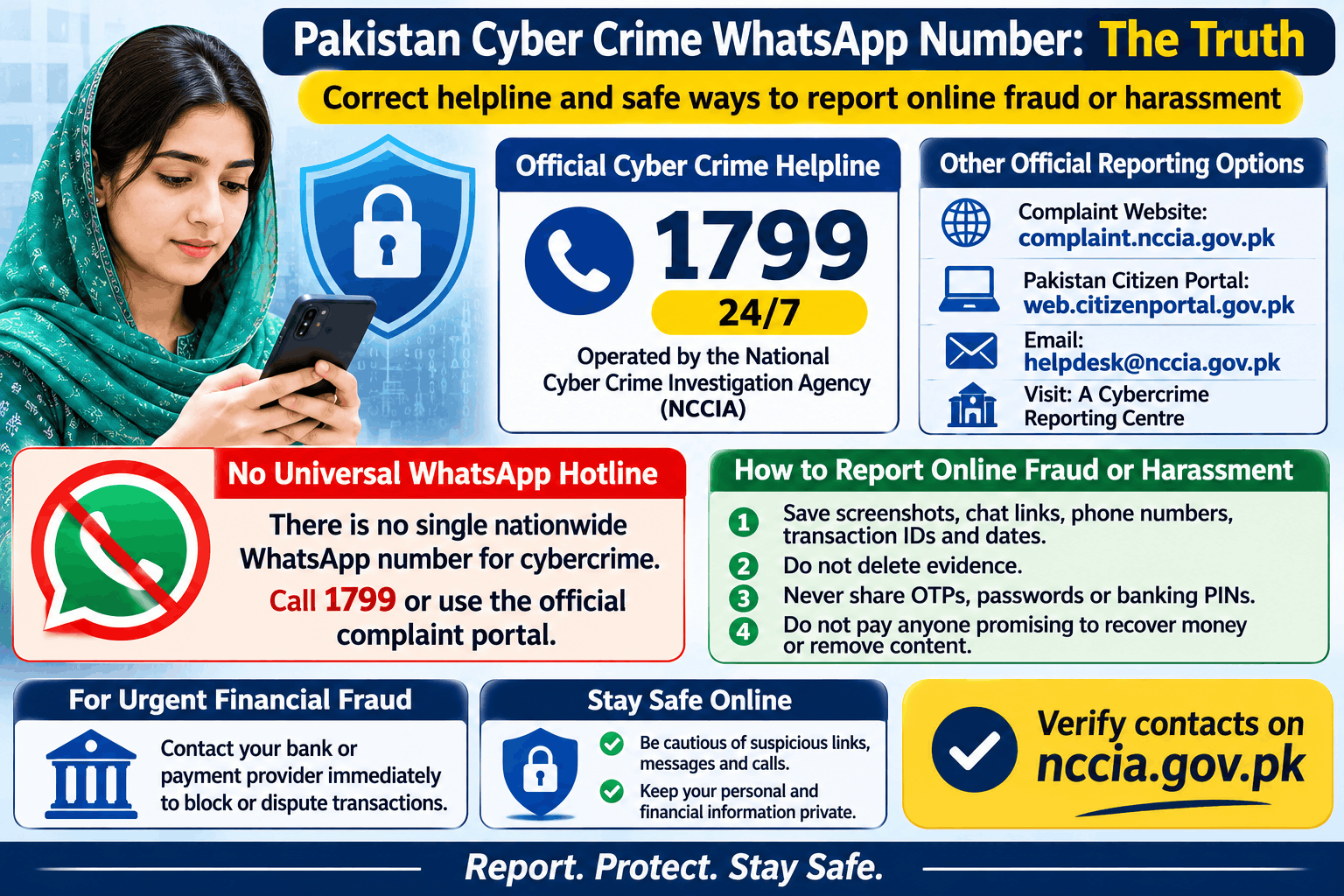
- File a complaint with PTA at complaint.pta.gov.pk or call 0800-55055 if the operator does not help .
PTA has stated that SIMs registered without your consent can be blocked after you report them .
Common Problems and Solutions
Problem: The 668 reply does not arrive.
Solution: Check that you sent the SMS to 668, not 667 or another number. Confirm your CNIC has no dashes or spaces. Try again after a few minutes. If it still fails, use the cnic.sims.pk website instead .
Problem: The SIM count looks wrong.
Solution: Counts can include old SIMs you forgot about. If you see a SIM you truly never registered, follow the “remove unknown SIMs” steps above.
Problem: A website or app asked for my CNIC to “check a number.”
Solution: Do not enter your CNIC on any third-party site claiming to reveal SIM owner details. Only use 668 (SMS) or cnic.sims.pk (website). These are the only official PTA channels .
Privacy and Scam Warnings
- Never install APK files sent via SMS or WhatsApp claiming to be “SIM checker” tools. These often contain malware that steals your banking details and OTPs .
- Never share your OTP with anyone claiming to be from PTA or your network. PTA does not call you to ask for OTPs.
- Do biometric verification only at an authorized franchise, not at a roadside stall.
- Checking a stranger’s SIM details is a crime under PECA 2016, Section 16. The penalty can be up to 3 years in prison and a fine up to Rs. 5 million .
FAQs About SIM Owner Details Online Check
Can I check someone else’s SIM owner details by their mobile number?
No. There is no legal public service in Pakistan that shows a person’s name or CNIC from their mobile number. Only PTA’s official tools for checking your own CNIC are legitimate .
Is the 668 SMS service free?
The service itself is from PTA, but your mobile operator charges for the SMS. The cost is typically around Rs. 2 plus tax .
What does the 668 reply show?
It shows a count of SIMs registered on your CNIC, grouped by each mobile network (Jazz, Zong, Telenor, Ufone, SCOM). It does not show the mobile numbers themselves .
Can I use cnic.sims.pk from outside Pakistan?
Yes. The PTA portal works from any country. Enter your CNIC and complete the captcha to see your SIM count .
What is the 667 code for?
667 is for checking the SIM physically in your phone. Send MNP to 667 from that SIM. It replies with the registered name and masked CNIC for that specific SIM only. It cannot be used to look up other numbers .