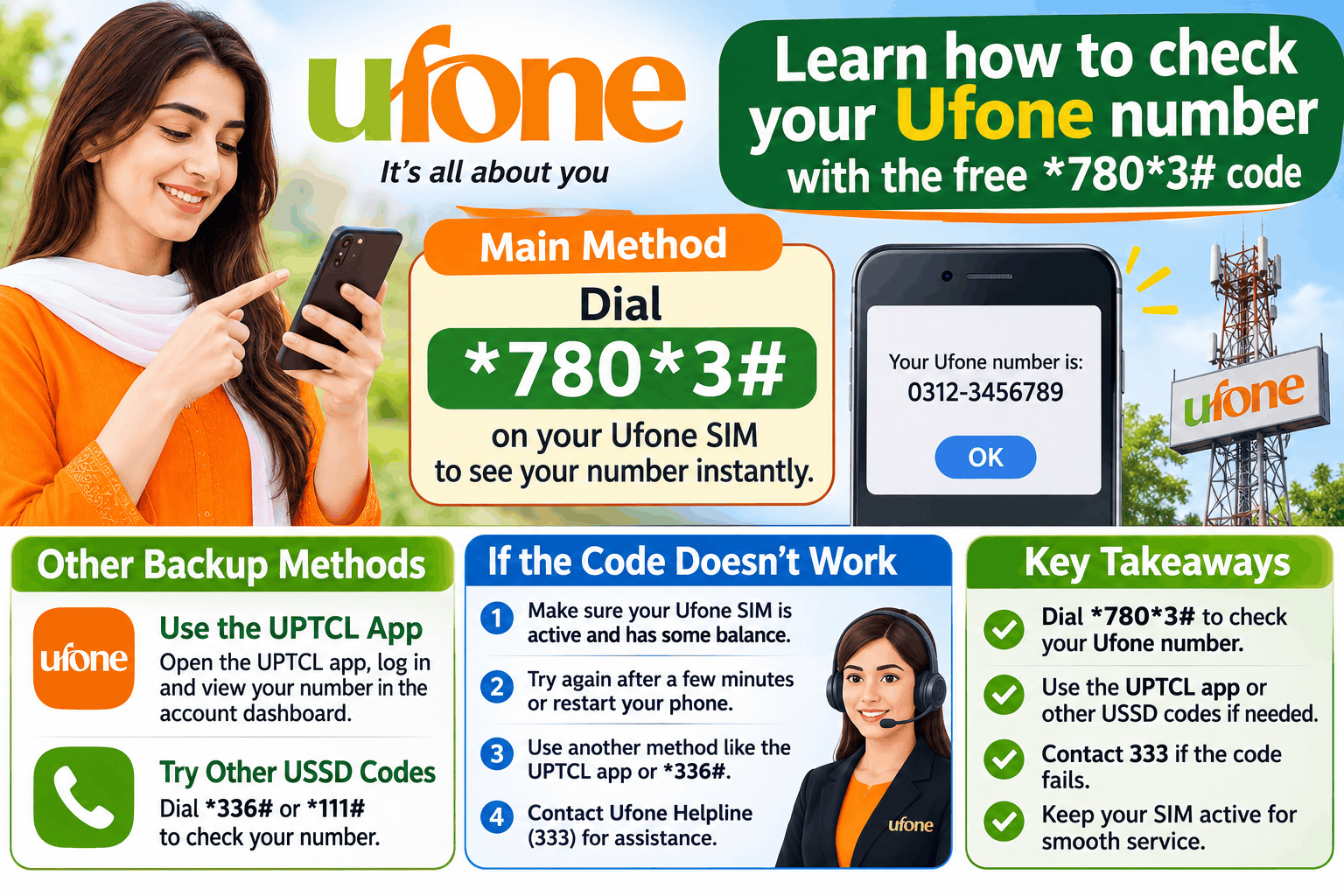
The quickest way to check your Ufone number is to dial *780*3# from your phone’s dialer. Your number will appear on the screen within seconds, and it works even if you have zero balance . If that code does not respond, you can try *1#, use the UPTCL app, or call the Ufone helpline on 333 . This guide explains each method, what to do when the codes fail, and the scams to avoid when searching for “Ufone number check.”
The Main Code: *780*3#
This is the most widely used and community-confirmed code for checking your own Ufone number . It is a USSD code, which means it works on any phone, including basic handsets, without an internet connection.
How to use it:
-
Open your phone’s dialer.
-
Type
*780*3#exactly as written. -
Press the call button.
-
Your Ufone number will display on the screen within a few seconds .
The service is free and works at zero balance . You do not need to recharge first. It only shows the number of the SIM currently in your phone, so make sure you are dialing from the Ufone SIM you want to check .
Backup Methods If the Code Fails
Codes can occasionally stop working due to network issues, phone settings, or changes by the operator. Ufone’s own website does not formally list *780*3# as its official method, so it is worth having alternatives ready .
Dial *1#
A shorter code, *1#, shows the same result on many Ufone SIMs. It is listed as the second code to try in multiple guides . Dial it exactly as you would the main code. If it works, your number will appear on the screen.
Use the UPTCL App
Ufone’s official self-care app is called UPTCL. After you sign in, your registered Ufone number is shown on your account profile . This is the most reliable official route because it comes directly from Ufone. The app requires an internet connection and a login, which you can set up with your Ufone number.
Call the Helpline on 333
If the codes and the app do not work, call 333 from your Ufone number. This is Ufone’s customer care shortcode . Speak to an agent and they will confirm your number for you. Calls to the helpline may incur standard charges .
SMS Method (MNP to 667)
Some guides list an SMS method: send the word MNP to 667. Ufone will reply with your number, activation date, and SIM owner name . Note that this method may involve a cost, so recharge your balance before trying it . It is less commonly recommended than the USSD codes, and the available sources do not confirm whether it is still active in 2026.
What to Do If None of the Methods Work
If *780*3# and *1# both fail, and the app or helpline is not an option, the issue may be with your phone or SIM rather than the code.
Check your SIM slot. If you have a dual-SIM phone, make sure you are dialing from the Ufone SIM’s slot, not the other network’s slot . The code only works from the Ufone line.
Restart your phone. A simple restart can resolve temporary network registration issues.
Try a different phone. If possible, put your Ufone SIM in another phone and dial the code. This tells you whether the problem is the SIM or your handset.
Visit a Ufone service centre. If the SIM is damaged or the number is not registered correctly, a service centre can help. Take your original CNIC.
Scam Warning: What Not to Do
The search for “Ufone number check” attracts scam websites and apps. Be careful.
No code can show another person’s details. Ufone does not offer a service that reveals a caller’s name, CNIC, or address from their phone number. Any website claiming to do this is lying. Asking for or sharing someone’s personal SIM details without consent is a cybercrime in Pakistan .
Do not pay for a number check. The USSD codes are free. If a website or app asks for payment to “unlock” your number, it is a scam.
Do not enter your CNIC or OTP on unofficial sites. Only use the UPTCL app or the USSD codes on your phone. Ufone will never ask for your OTP or PIN.
Report harassment to the NCCIA. If you are receiving unwanted calls, the right place to report it is the National Cyber Crime Investigation Agency, not a “number checker” website .
Frequently Asked Questions
What is the code to check my Ufone number?
Dial *780*3# from your Ufone SIM. Your number will appear on the screen for free, even at zero balance . If it does not work, try *1# .
Is the Ufone number check code free?
Yes. Both *780*3# and *1# are free to use . The UPTCL app is also free to download and use. Calls to the 333 helpline may incur standard charges .
Why is *780*3# not working on my Ufone SIM?
It could be a temporary network issue, or your phone may be dialing from the wrong SIM slot. Try *1#, restart your phone, or use the UPTCL app. If nothing works, call 333 .
Can I check someone else’s Ufone number?
No. There is no legitimate code or service that reveals another person’s number or personal details. Only the number of the SIM in your own phone can be checked with *780*3# . Websites claiming otherwise are scams.
What is the Ufone helpline number?
The Ufone customer care shortcode is 333 . You can also email customercare@ufone.com for support .